The removed screen
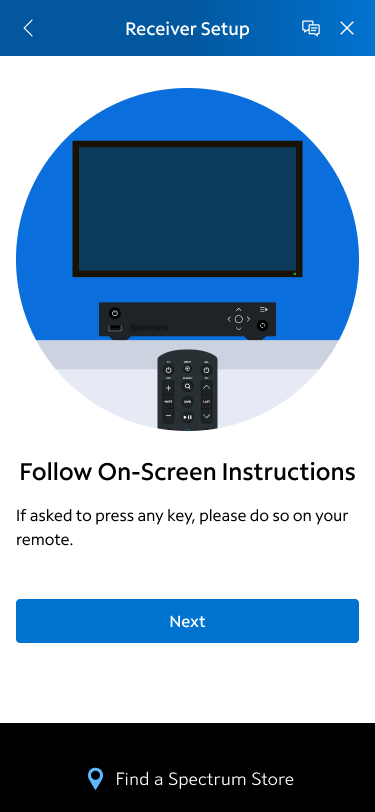
This page was removed because it’s unnecessary. Not all receivers need a button on the remote to be pressed and if they do, the TV screen is showing that already. But this was removed in a much longer quest for simplification in a flow where a user has multiple existing receivers that could be swapped for newer models.
Complex Logic
2 Swap, 1 New: Forced Swap First. DO NOT Have Serial #’s / MAC Addresses of Devices that have to be swapped.
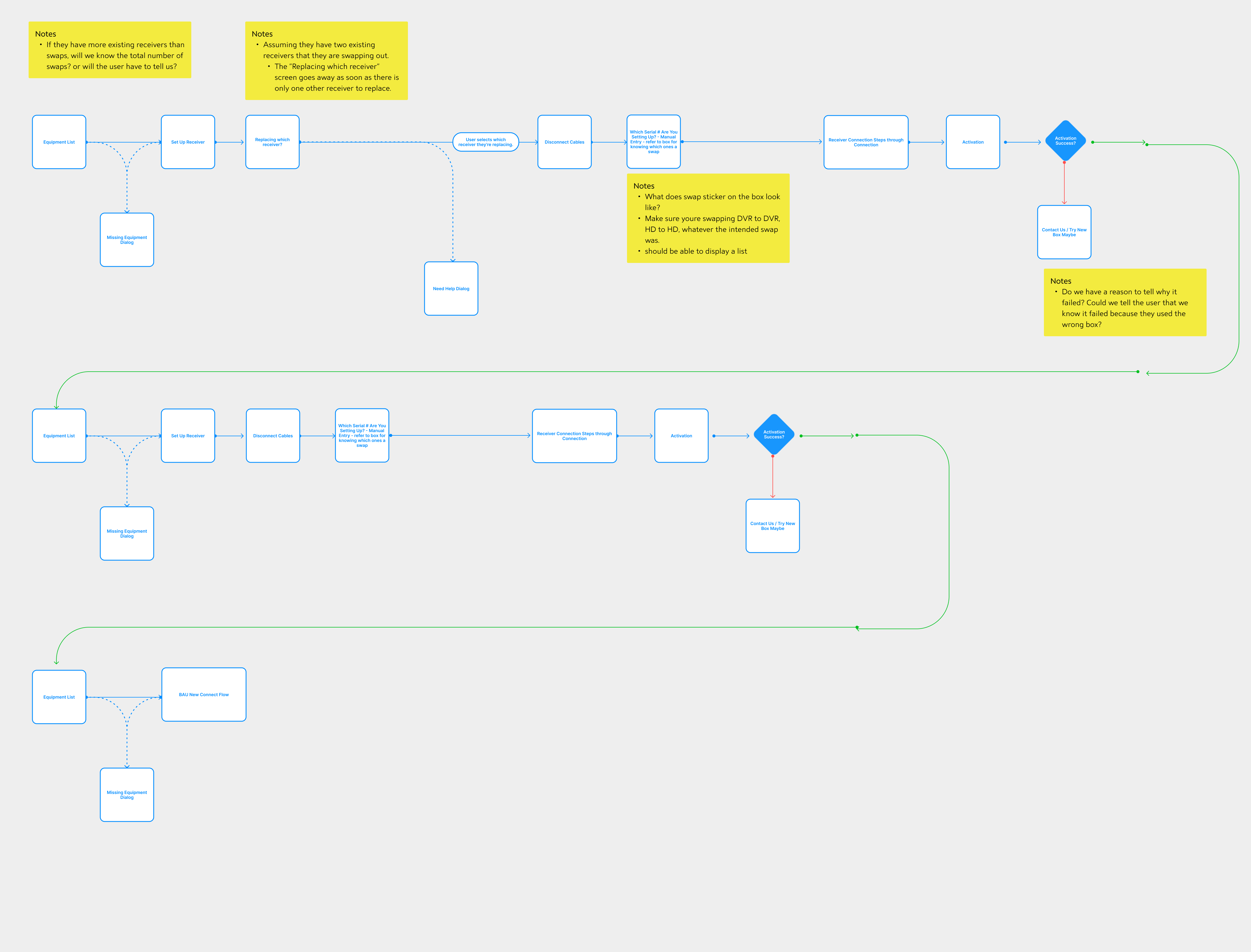
Why this solution didn’t work & why it never got a lo-fi version
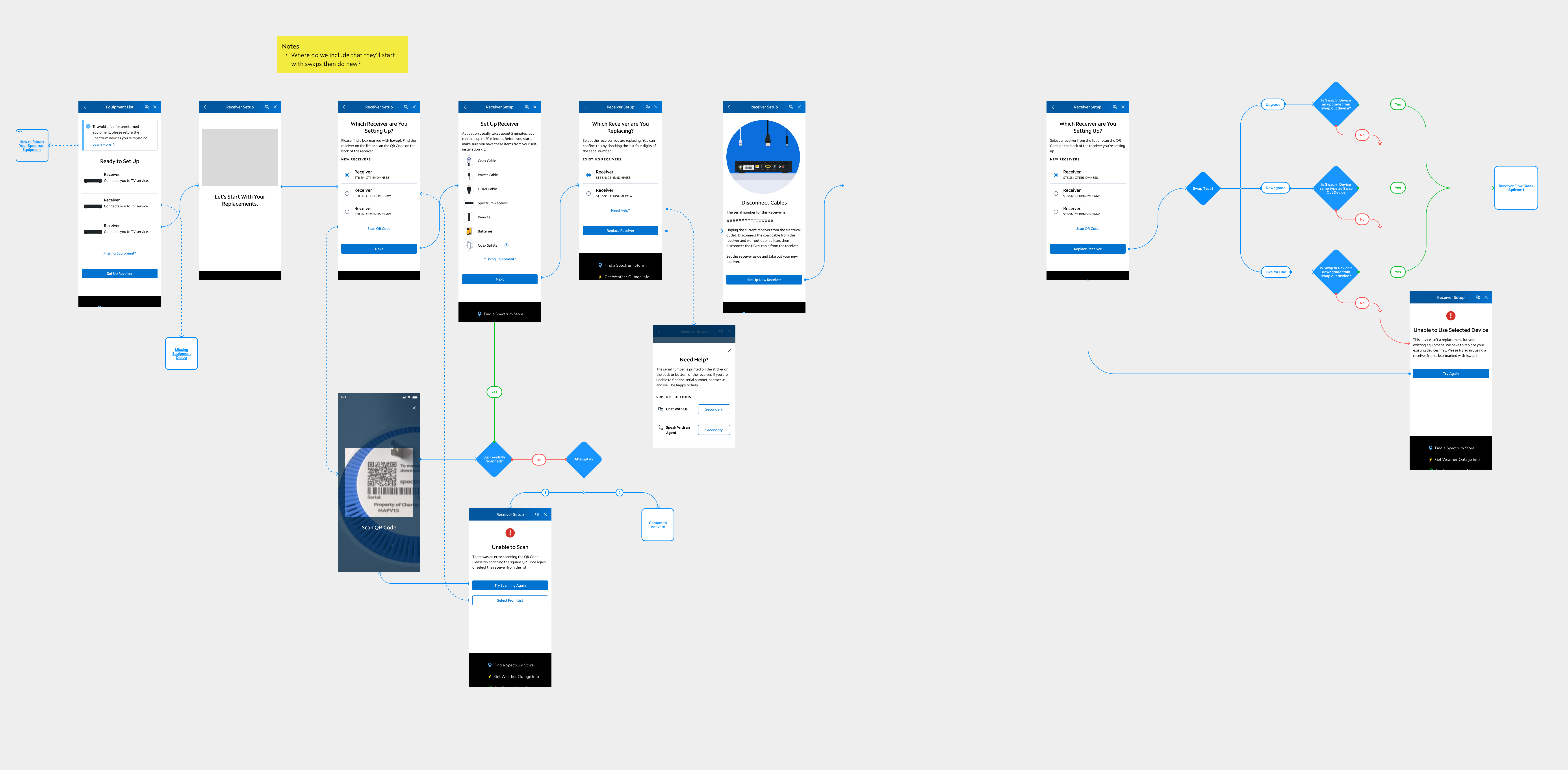
Spectrum knows how many swaps there are, but it doesn’t know which pieces of equipment were being swapped. Before “Disconnect Cables” Spectrum needed to know which receiver was being replaced
2 Swap, 1 New: Forced Swap First. DO Have Serial #’s / MAC Addresses of Devices that have to be swapped.
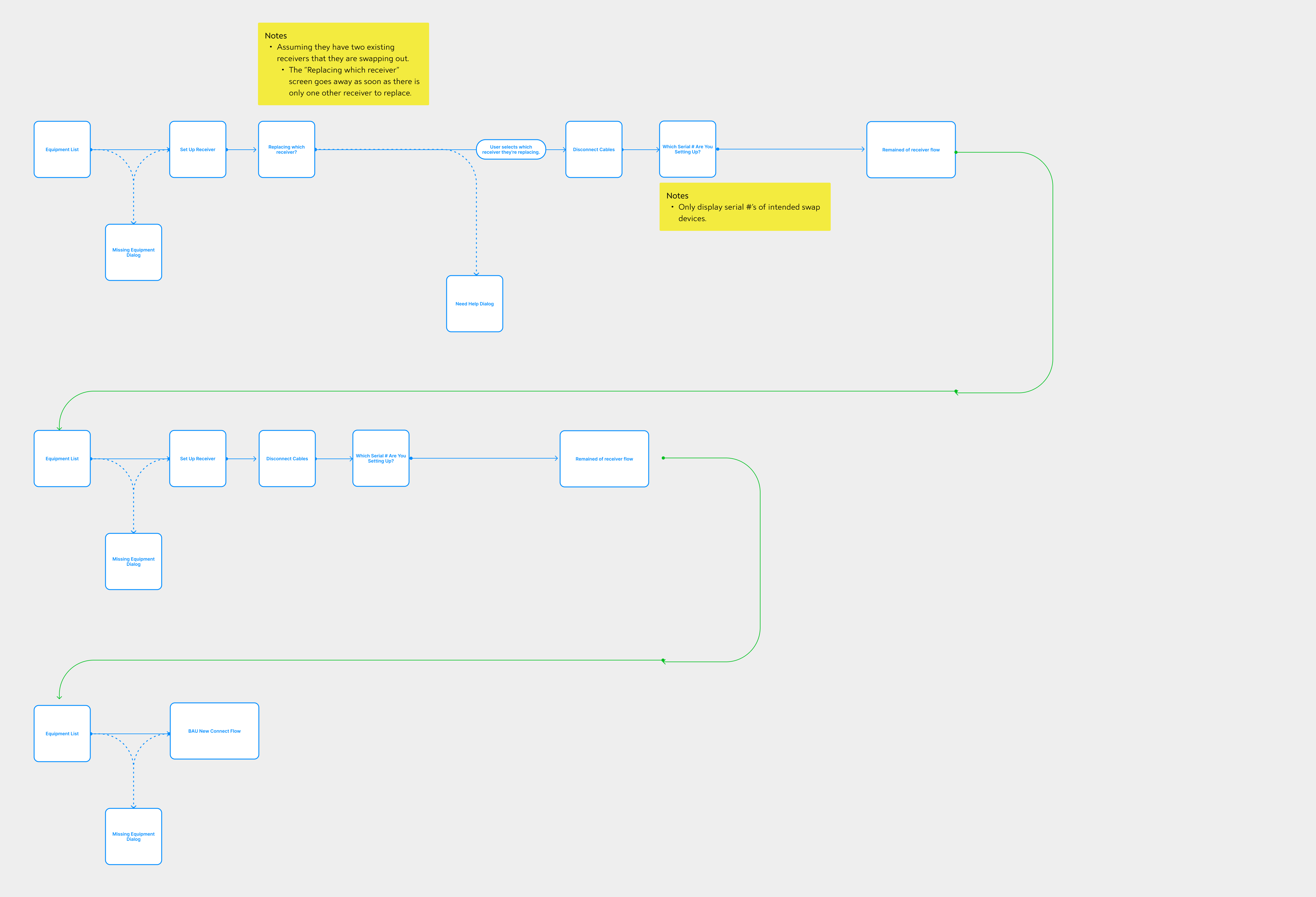
Why this solution didn’t work & why it never got a lo-fi version
From a UI perspective, this has all the screens visible to the user, but the flow is missing some key decision points that needed to be understood before any screens were developed since it would dictate how the experience is explained to users, especially errors.
2 Swap, 1 New: Forced Swap First. DO NOT Have Serial #’s / MAC Addresses of Devices that have to be swapped.
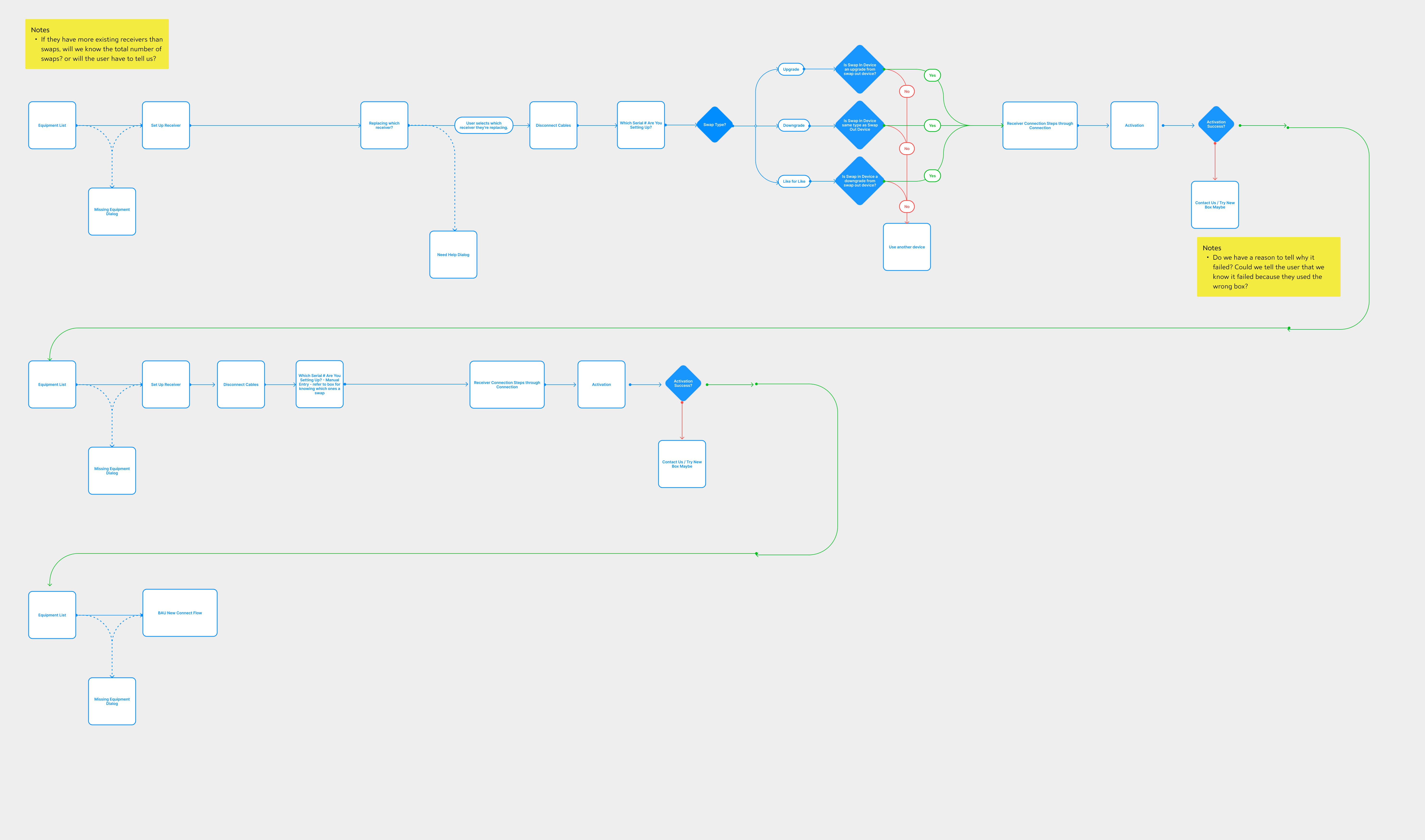
The solution works!
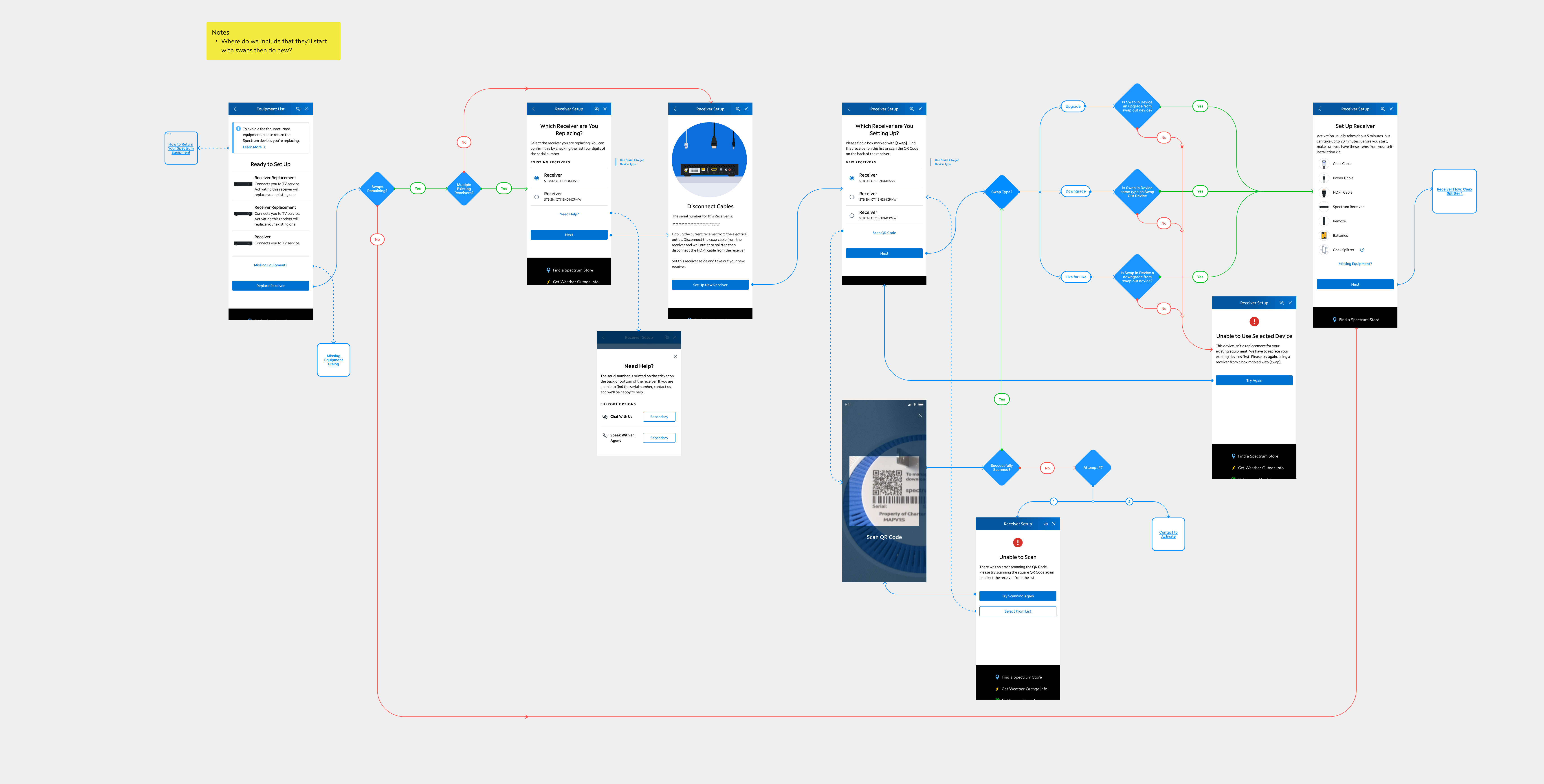
After almost a month of working with architecture teams and product leads, the design team finally reached a state where the user could swap more than one existing receiver, and the team had the ability to account for a net new receiver being added in the same transaction.
Utilizing existing screens, the team came up with 2 versions to compare before finalizing the UI since the team still needed to figure out when to tell users that the swaps had to happen before the new equipment:
Finally…
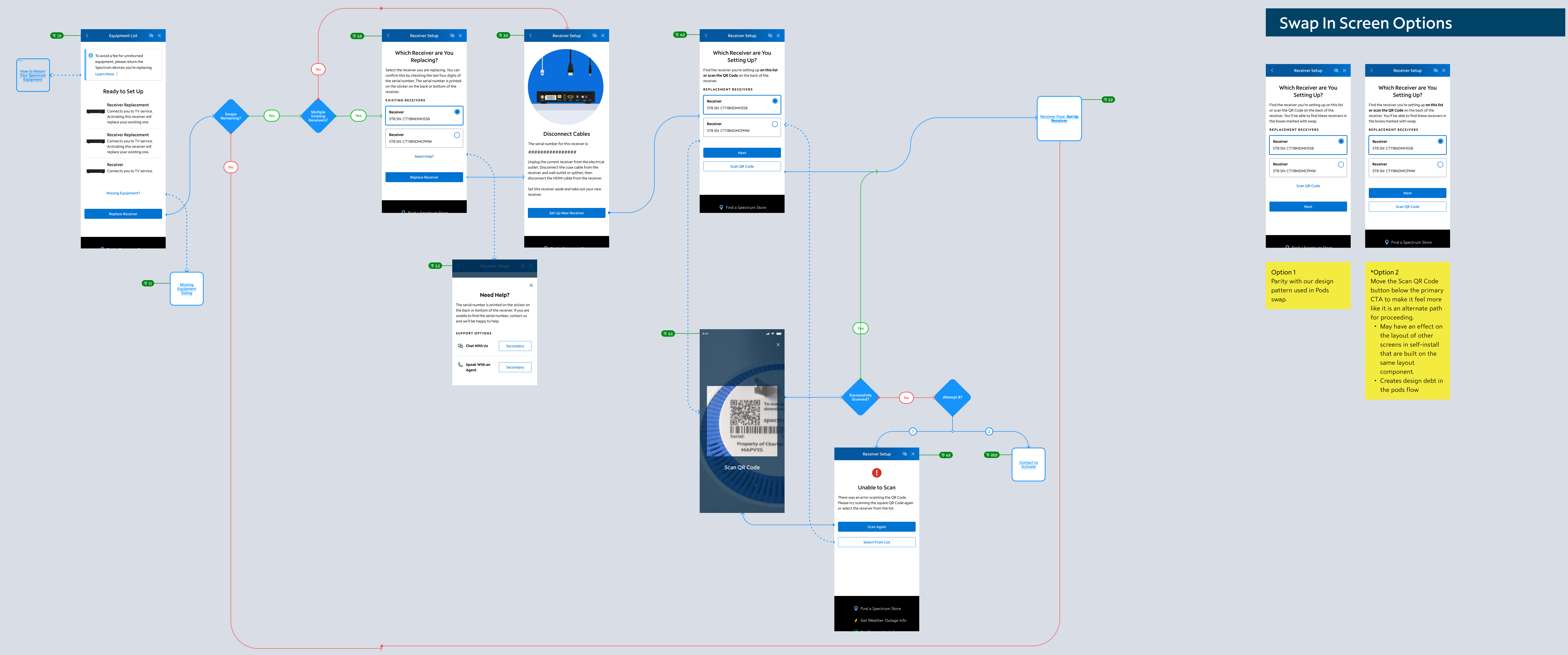
How did the flow get simplified?
First, the flow starts with the equipment list (later the Activation Dashboard). This is consistent in every Self-Install flow to orient the user.
Second, the flow starts running back end logic to check if there are swaps remaining, and if there is, check if there’s more than one left. The team was able to check this quickly in the background, in under 5-seconds, so there is no screen that needs to appear. In the original wireframes, there was a potential that both of these screens would require user input, so the back end being able to automatically check greatly reduced complexity for our users.
Third, the user selects which receiver is being replaced. Due to a limitation, the user has to select which receiver they’re replacing in order to prevent receivers still on the account from being shipped back to Spectrum. Once the user selects which receiver they’re replacing, they get a standard set of instructions to disconnect all of the cables. If the user cannot select which receiver is being replaced for any reason, the user is offered a get help CTA which connects users to an agent.
Forth, the user is able to select which receiver they’re setting up. All newer models of receiver have a QR code, so the flow able to provide a scanner. In the future, when Spectrum has more models produced post-2016 in circulation, this QR code scanner will be added to the screen where the user selects which receiver they’re replacing.
Finally, the existing receiver flow for net new receivers begins. Due to the amount of decision points being added to the flow and the number of screens, the team was given the opportunity to readdress the flow. With minor language updates through out, the biggest win was removing an entire screen.
 Colleen Rafferty